
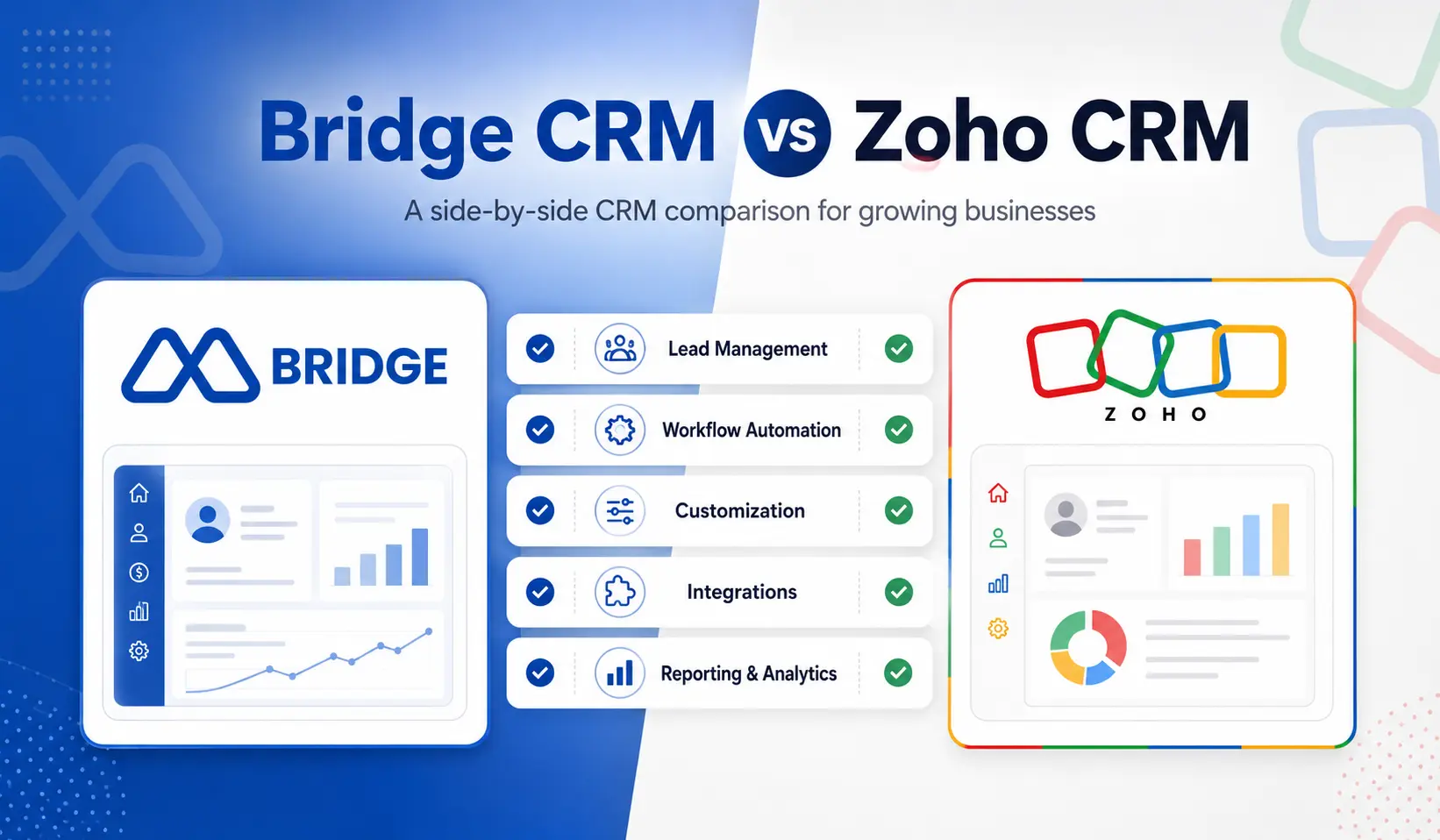
In this Bridge CRM vs Zoho CRM comparison for 2026, we examine the key differences in features, usability, customization, automation, pricing, and industry-specific capabilities.
Zoho CRM is a well-known name in the CRM space. It is affordable, feature-rich, and backed by an ecosystem of 50-plus business apps. For many businesses, that combination is enough to get started.
However “getting started” and “building a business on it” are two different things. Especially if your business involves field reps, dealer networks, distributors, service engineers, and an ERP like SAP or Tally that your CRM needs to actually talk to.
This is where Bridge CRM enters the conversation. Built specifically for manufacturing, distribution, and field-driven businesses, Bridge is not trying to be the most affordable CRM on the market. Instead, it is focused on being the most relevant solution for the industries it serves.
Here is the full Bridge CRM vs Zoho CRM comparison so you can decide which one fits your business in 2026.
Bridge CRM vs Zoho CRM: Quick Overview
| Feature | Bridge CRM | Zoho CRM |
|---|---|---|
| Best for | Manufacturing, distribution, field-driven SMBs | Broad SMB and mid-market across most industries |
| Core strength | End-to-end operations platform with field ops, dealer management, and AI | Wide feature set with strong workflow automation and app ecosystem |
| AI capability | Milo, a native AI agent across sales, field, and service | Zia AI, available on Enterprise and Ultimate plans |
| Field force management | Yes, via Bridge FieldOps | No native module |
| Dealer/distributor management | Yes, via Bridge Partner X | No native module |
| After-sales / service | Yes, via Bridge Serve | Basic via Zoho Desk, separate product |
| ERP integration | SAP, Tally, Oracle, Microsoft Dynamics natively | Via third-party connectors or Zoho Finance |
| Offline mobile app | Yes, fully offline-first | Limited offline support |
| Free plan | No, demo available on request | Yes, up to 3 users |
| Starting price | Modular pricing, contact for a quote | $14 per user per month (Standard, billed annually) |
Where Does Bridge CRM Have the Edge?
Bridge CRM was not designed to serve every industry. Instead, It was designed to serve one category of business really well: companies where the CRM has to connect sales, field operations, dealer management, after-sales service, and real-time analytics in one place, without stitching five separate tools together.
Bridge Sales
Bridge Sales is the CRM core, covering leads, pipeline, quotations, and customer records. It is designed for B2B sales cycles in manufacturing and distribution, not generic contact management. As a result, everything from lead source to final invoice lives in one view.
Bridge FieldOps
Bridge FieldOps is where Bridge separates itself from Zoho completely. Specifically, It gives field reps a mobile-first app for geo-tagged dealer visits, beat planning, real-time order capture, and offline reporting. By comparison, Zoho CRM has no equivalent module. Therefore, If your revenue depends on people visiting distributors, dealers, or industrial customers in the field, this is the core of your sales operation, and Zoho simply does not cover it natively.
Bridge Partner X
Bridge Partner X manages your dealer and distributor network end-to-end, including onboarding, credit limits, scheme visibility, target tracking, and a self-service portal for dealers to place orders and check their performance. In contrast, Zoho has no concept of this. As a result, you would need to build something custom, which costs time and money.
Bridge Serve
Bridge Serve handles the after-sales service areas, inclusive of AMC contracts, warranty management, service tickets, and SLA tracking. Meanwhile, in the Zoho ecosystem, this requires Zoho Desk as a separate product with its own pricing, login, and data sync setup. However, in Bridge, it is already part of the same platform your sales and field teams use.
Bridge Analytics
Bridge Analytics gives leadership a live dashboard across field coverage, dealer performance, pipeline health, and service ticket status in real time. Consequently, there is no manual report-building, no waiting for end-of-day summaries.
In addition, there is Milo, Bridge’s built-in AI agent. Milo works across your entire platform, not just the sales module. For example, It automates follow-ups based on actual field activity, flags deals that are going quiet, and surfaces rep performance insights without anyone having to ask for a report.
Although, Zoho’s Zia AI is impressive within the CRM context, but it does not have visibility into field visit data, dealer orders, or service tickets the way Milo does.
Where Zoho CRM Wins
One of the major benefits of using Zoho CRM is its wide range of available options, from the cheapest option ($14 per user per month) (the Standard plan) to the most expensive ($52 per user per month) (the Ultimate plan),
As you move up, increasing periodic scope through numerous additional features and greater AI-based capabilities.
As a result, many businesses consider this is cost-effective for your company to have a highly functional *general* type of CRM available for low entry.
Furthermore, Zoho CRM’s A.I. (Zia) assistant will be available within their services in 2026 and will: have predictive selling capabilities; provide recommendations for optimal times and methods to contact potential clients based on their previous interactions; and flag deviations or trends in contract activity. However, these capabilities are typically available only at the Enterprise level or above.
Additionally, the Zoho app ecosystem covering accounting, marketing, and projects is frequently cited as a cost-avoidance advantage for businesses assembling separate point solutions. If your team is already using Zoho Books or Zoho Desk, the CRM fits in naturally.
Feature-by-Feature Comparison
| Feature | Bridge CRM | Zoho CRM |
|---|---|---|
| Sales pipeline management | Yes | Yes, strong |
| Lead and contact management | Yes | Yes, strong |
| Workflow automation | Yes, via Milo | Yes, from the Professional plan |
| AI assistant | Yes, Milo across all modules | Yes, Zia from the Enterprise plan |
| Field force management | Yes, via Bridge FieldOps | No native module |
| Beat planning and route optimization | Yes | No |
| Offline mobile app | Yes, fully offline-first | Limited |
| Dealer and distributor portal | Yes, via Bridge Partner X | No |
| After-sales service and warranty | Yes, via Bridge Serve | Via Zoho Desk (separate product) |
| Customer self-service app | Yes, via Bridge CX | Limited |
| Delivery and logistics tracking | Yes, via Bridge Drive | No |
| Native ERP integration | SAP, Tally, Oracle, Dynamics | Via third-party or Zoho Finance |
| Real-time operations dashboard | Yes, via Bridge Analytics | Reports available, less real-time |
| Modular pricing | Yes | No, per user across all plans |
| Free plan | No | Yes, up to 3 users |
Pricing: What You Actually Pay
Zoho CRM offers four paid plans and a free edition, with the Professional plan at $23 per user per month being their most popular tier for growing businesses. Meanwhile, the Ultimate plan, which includes Zoho Analytics Premium, sits at $52 per user per month, billed annually.
At a glance, the pricing when compared for Bridge CRM vs Zoho CRM looks competitive on paper. However, the reality for a manufacturing or distribution business is that the features you actually need, including territory management, advanced AI, and deeper customization, are mostly locked behind the Enterprise and Ultimate tiers. In addition, service management requires Zoho Desk on top of that.
By Contrast, Bridge CRM uses modular pricing. You pay for the modules your business uses. Consequently, a company with 30 field reps and 8 sales managers is not paying the same per-seat rate for every person across every module. Instead, the pricing scales with your actual operational footprint, not just headcount.
For a pricing comparison specific to your team and industry, request a Bridge CRM pricing call here.
Which One Should You Choose?
Choose Zoho CRM if:
You need a broad, general-purpose CRM with a low starting cost
Your sales team works primarily from a desk or office
You are already using other Zoho products and want everything in one ecosystem
You have no field force, dealer network, or after-sales service complexity
You run a services, SaaS, or retail business with a relatively simple sales cycle
Choose Bridge CRM if:
Your business involves field reps, distributors, dealers, or service engineers
You need CRM, field ops, dealer management, and service to work as one connected system
You want AI that has visibility across your entire operation, not just the sales pipeline
You operate in manufacturing, distribution, FMCG, automobile, pharma, or any product-driven industry
You need native ERP integration with SAP, Tally, or Oracle without building custom connectors
Is Bridge CRM the Right Fit for Your Business?
Zoho CRM is a solid choice for businesses that need a flexible, affordable CRM and are comfortable assembling an ecosystem of tools around it. For pure inside sales teams, service businesses, or companies just beginning to move off spreadsheets, it delivers solid value.
However, if your business has field reps on the road, dealers who need visibility into their own performance, service engineers managing AMC contracts, and a management team trying to see all of it in one place without juggling five dashboards, Zoho will eventually show its limits.
Ultimately, When talking about Bridge CRM vs Zoho CRM Bridge was built for exactly that business. Not every business. That one.
Ready to see Bridge CRM in action for your industry? Book a free demo here.


0 Comments