
Bridge CRM vs Other CRM Software
Discover how Bridge CRM stacks up against other market solutions. Compare features, efficiency, and pricing to choose the right fit for your business.
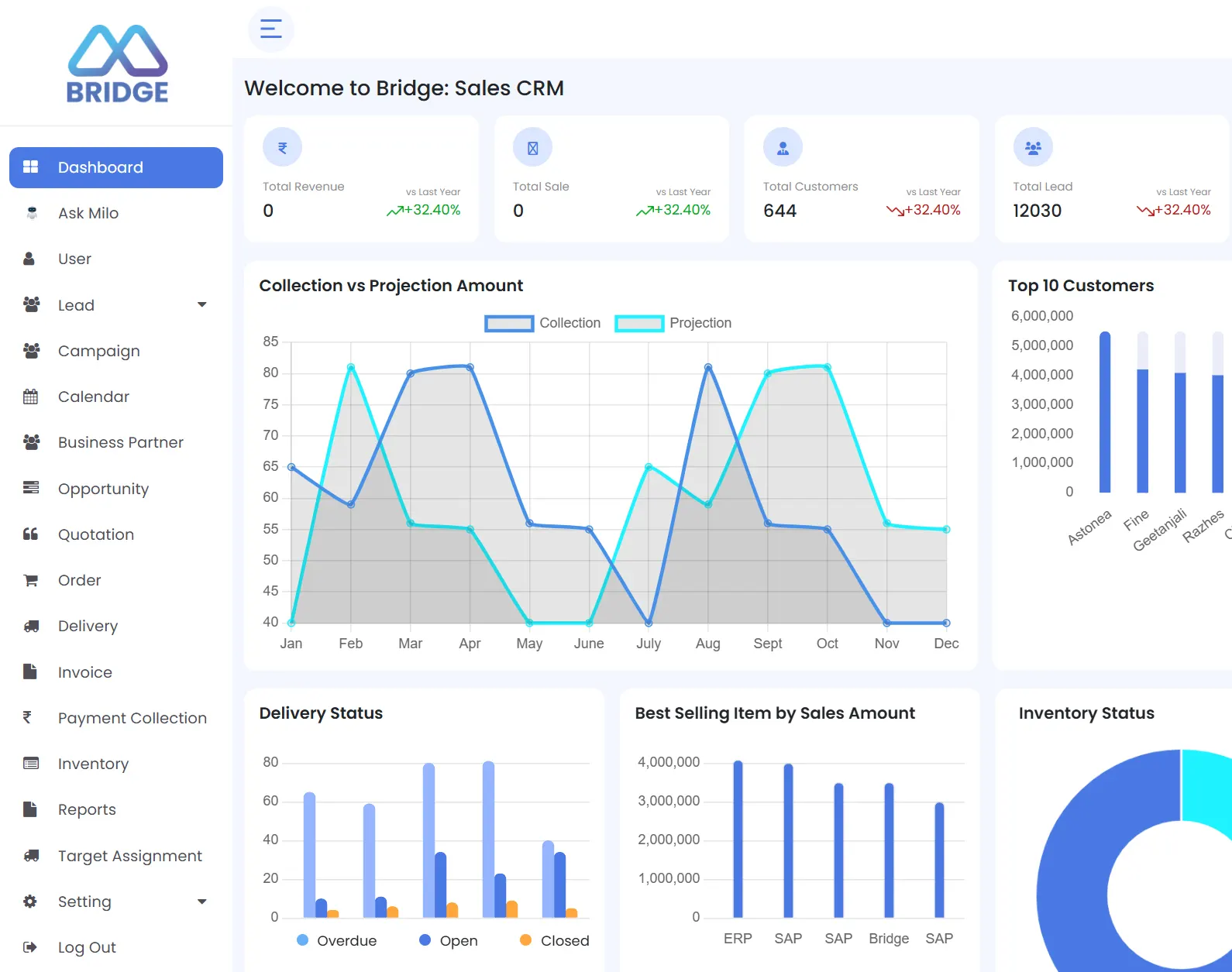
See How Bridge CRM Stands Out Against Every Alternative
A head-to-head breakdown of why specialized industries choose Bridge over traditional platforms.
Why pay enterprise prices for a platform that still needs months of customization?
Bridge CRM is built for manufacturing and distribution out of the box, with field force management, dealer management, and SAP integration ready from day one.
Learn MoreZoho is a solid general-purpose CRM. But if your business runs on field teams...
You will need Zoho Desk, third-party connectors, and custom builds to cover what Bridge does natively inside one platform.
Learn MorePipedrive is a clean pipeline tool built strictly for inside sales teams.
If your sales happen in the field, at dealer counters, and across distributor networks, you need more than a flat pipeline view.
Learn MoreDo not let a polished interface distract you from what is missing.
HubSpot has no field force management, no dealer management, and no native ERP integration. Bridge CRM does, and it costs less at the tiers that actually matter.
Learn MoreSpreadsheets do not follow up. They run completely static operations.
They do not flag missed dealer visits, stalled deals, or at-risk accounts. If your field team is still running on Excel and WhatsApp, the cost of staying there is higher than you think.
Learn MoreMicrosoft Dynamics is a powerful enterprise software suite.
It is also expensive, slow to implement, and not designed for the dealer and field operations that drive revenue for Indian manufacturers and distributors.
Learn MoreFreshsales handles contact management and basic pipeline tracking well.
But there is no field force module, no dealer portal, and no after-sales service capability. For businesses with field teams and channel partners, that is a significant gap.
Learn MoreTally is an excellent, industry-standard accounting tool.
It was not built to manage your sales pipeline, track field visits, or run your dealer relationships. Running both separately means your sales and finance teams are always working off different data.
Learn MoreMost standalone SFA apps track visits and capture orders. They stop there.
Bridge FieldOps connects field activity directly to your CRM, dealer management system, service module, and ERP so nothing gets lost between the field and the office.
Learn MoreHow Does Bridge CRM Pricing Compare?
Bridge CRM uses modular pricing. You pay for the modules your business uses. A company with 30 field reps, 10 sales managers, and 5 service coordinators does not pay the same per-seat rate across every module. The pricing scales with your actual operational structure, not just your headcount.
Questions to Ask Before Choosing a CRM
Do not make a long-term commitment without getting clear answers to these fundamental workflow and architecture questions.
If your revenue comes from field reps, dealers, and distributors, a CRM without field force management is a partial solution, not a complete one.
Six months to go live is not acceptable. Ask who handles onboarding and get a realistic timeline before you sign. Bridge CRM includes a dedicated onboarding team for every customer.
SAP, Tally, Oracle, Dynamics. Ask for native integration depth, not just "yes, we integrate." A third-party connector that someone has to maintain is not the same thing.
Entry-level pricing rarely tells the full story. Service modules, AI, territory management, and API access are often locked behind higher tiers. Get a full cost breakdown before you commit.
Pipeline AI gives you pipeline insights. If your business runs on field visits, dealer orders, and service tickets too, your AI needs visibility across all of it, not just one module.
Switch to Bridge CRM Without Losing a Day of Productivity
Already using Salesforce, Zoho, Pipedrive, or HubSpot? Your data comes with you. Bridge's onboarding team handles the full migration, so your team does not lose momentum during the switch.
Export your existing CRM data
Safely pull down your raw leads, deals, channel interactions, and contact profiles directly from your legacy dashboard setup.
Share it with the Bridge onboarding team
Hand over the files securely. Our specialized data migration engineers will parse and map your historical entries cleanly.
Verify your pipeline setup, custom fields, and integrations
Review the sandbox layout with our specialists to ensure all your dealer frameworks, custom attributes, and active API bridges operate flawlessly.
Go live with full team training included
Deploy across your enterprise. We will conduct interactive workshops for both your office managers and field force personnel right out of the box.
Frequently Asked Questions About Bridge CRM
What is Bridge CRM and who is it built for?
Bridge CRM was developed as the only AI-based CRM for Organizations that manufacture products like OEM’s (Original Equipment Manufacturers), distributors, as well as field-driven organizations. It provides sales pipeline management, Field Force Management, Dealer/Distributor Management, after-sales support, and Reporting and Analytics (in real time).
Comparing Bridge CRM to Salesforce
Bridge was built specifically for Manufacturing and Distribution Organizations and comes ready with built-in Field Force Management, Dealer Management, Service and Warranty Management as well as Integration to ERP systems. On the other hand, Salesforce is an enterprise platform which has the flexibility to configure solutions for Manufacturing and Distribution Enterprises, but this requires a lot of custom development and partnering with a certified third-party implementing agent, and therefore comes at a much greater cost compared to Bridge CRM which will allow Small to Mid-sized Manufacturers and Distributors in India to realize greater operational value significantly quicker and at a more appropriate price point.
Is Bridge CRM a good alternative to Zoho CRM for Indian businesses?
Yes, particularly for Indian manufacturers, distributors, and field-driven businesses. Zoho CRM is a strong general-purpose platform, but it does not offer native field force management, dealer and distributor management, or after-sales service within the same product. Bridge CRM covers all of these within one connected platform, with native SAP and Tally integration that Zoho relies on third-party connectors to achieve.
What industries does Bridge CRM serve?
Bridge CRM is purpose-built for manufacturing, distribution, FMCG, automobile, pharma, food and beverage, and any product-driven industry where sales involve field teams, dealer networks, and after-sales service obligations.
Does Bridge CRM work offline for field teams?
Yes. Bridge FieldOps is built offline-first. Field reps can log geo-tagged visits, capture orders, and complete structured visit reports without any internet connection. Everything syncs automatically when connectivity is restored. This makes it suitable for field teams operating in tier-2 and tier-3 markets across India where connectivity is inconsistent.
How does Bridge CRM integrate with SAP and Tally?
Bridge CRM integrates natively with SAP Business One, SAP S/4HANA, Tally, Oracle, and Microsoft Dynamics. Orders captured in Bridge Sales or Bridge FieldOps sync directly to your ERP in real time. Inventory and customer data flow back from the ERP into the CRM without manual reconciliation.
What is Milo and how does it work?
Milo is Bridge CRM's native AI agent. It works across all modules from day one, including sales, field operations, dealer management, and service. Milo automates follow-ups based on actual field activity, flags at-risk deals, surfaces rep performance insights, and alerts managers to coverage gaps. Because Milo has visibility across the entire platform rather than just the sales pipeline, its recommendations are grounded in what is actually happening across the whole business.
How long does it take to implement Bridge CRM?
Bridge CRM includes a dedicated onboarding team for every customer. Implementation timelines vary by company size and complexity, but Bridge is designed to go live significantly faster than enterprise platforms like Salesforce. Most businesses are operational within weeks, not months.